Account License Management
Available from 5.9.0.0
MRI Evolution has a range of User License Types that can be purchased and assigned to User Accounts in order to allow those Users to access specific functional features of MRI Evolution and its related applications.
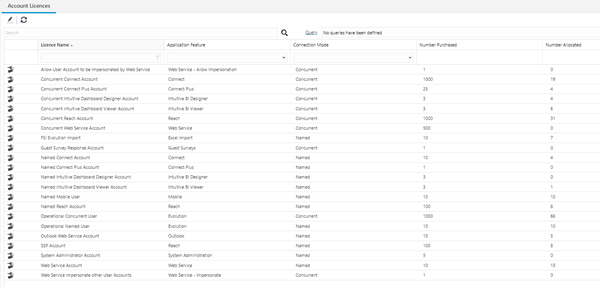
The Account License Management page provides an overview of the License Types, such as the number of licenses purchased and the number allocated to Users.
Users can open each License Type record for more information and to update the assignment to User Accounts, where necessary.
Settings > User Accounts > Account License Management
The link will open the Account License grid. It is a grid view which can be searched, sorted and customised as normal.
To edit an Account License record, double click it in the grid or highlight the record and click Edit  . A pop up window will be opened, displaying details of the License Type in the upper part of the page and the lower part contains a grid of the User Accounts that have the License Type assigned to them.
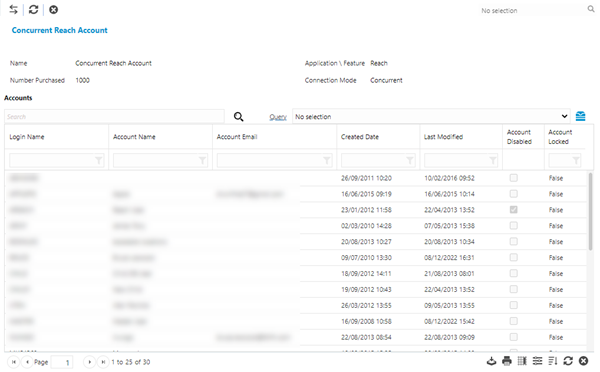
 Click to view - User License Type Fields and Descriptions
User License Type Additional Icons
| Additional Icons | Name | Description |
|---|---|---|

|
Add/Remove Accounts | Click to open an assignment window and add or remove User Accounts as required. |

|
Refresh the page |
Click to refresh the page. |

|
Toggle Show History |
Click to toggle on or off showing historic (soft deleted) User Account records in the grid. |