Attributes Grid
Available from 4.4.0.0
The Attributes Grid provides a centralized view of all custom data fields (attributes) in your Evolution system. You can review, edit, and manage attribute values directly in the grid, or use bulk operations for efficient updates across multiple records. Remember to save your changes to apply updates and maintain data accuracy.
 Available from 7.0.0.0
The Purchase Key licence dependency for this specific element of the system has been removed and is now included as standard in the core MRI Evolution product the feature has been turned on for all systems by default.
Note: Other restrictions, such as User licence type restrictions and / or any restrictions to underlying functionality that is dependent upon Purchase Key licences will remain in place.
Modules > Attributes > Attributes Grid
The link will open the Attributes grid. It is a grid view which can be searched, sorted and customised as normal.
The grid is an editable grid, to amend the values click in the Value column and adjust the Value.
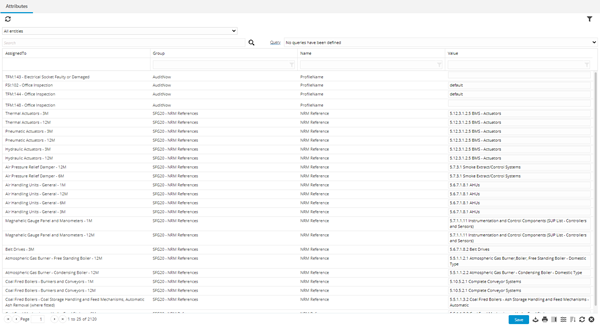
Once a value has been changed a red marker will appear against the edited value.
Any changes made in the grid must be saved, once the grid has been saved the red markers will disappear.