Sales Invoice Batch Generation
Generate multiple invoices at once by creating a batch. Select Rule Groups to control which invoices are generated and when, allowing flexibility for different clients.
Available from 4.5.1
WIP or Cost Invoices are generated the same way as Sales Invoices.
Sales Invoice Batches use Sales Invoicing Rule Groups and are managed here.
Modules > Sales Invoicing > Sales Invoice Batch Generation
The link will open the Sales Invoice Batch Generation grid. It is a grid view which can be searched, sorted and customised as normal.
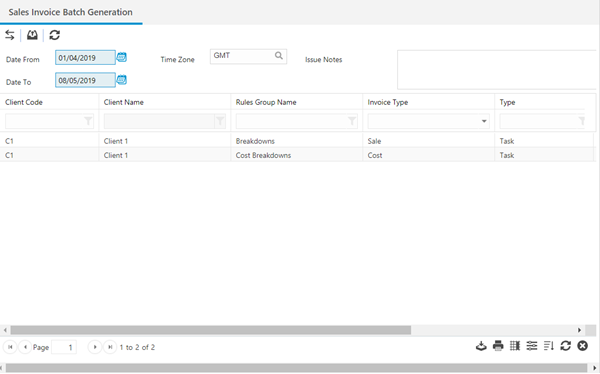
Use the date picker to define the period for invoices to be generated.
Sales Invoice Rule groups must then be assigned to the batch, to assign Sales Invoice Rule Groups click Assign  , entities in the right hand assignment window are connected.
To generate the batch click Generate Sales Invoices  .
.
All Sales invoices will be generated as a draft invoice and can be amended before they are issued to a client. See Sales Invoices