Stock Adjustments
The Stock Adjustments feature in MRI Evolution provides tools for managing inventory changes, including manual adjustments, stock transfers, and price updates. This functionality supports accurate inventory tracking and ensures that stock records reflect real-world movements and valuations.
- Manually adjust stock levels
- Move stock between locations
- Adjust stock prices (when the FIFO model is not enabled)
If the Purchase Order module is not used, stock must be manually adjusted upon delivery to maintain accurate records.
Modules > Stores > Stock Adjustments
The link will open the Stock Adjustments grid. It is a grid view which can be searched, sorted and customised as normal.
Stock Moves, Stock Adjustments and Price Adjustments can be viewed from this grid.
Stock Adjustment - Move
 Click to view more detail.
To add a new Stock Adjustment for Move click Select Stock . A pop up window will appear which will allow the creation or amendment of a Stock Adjustment - Move.
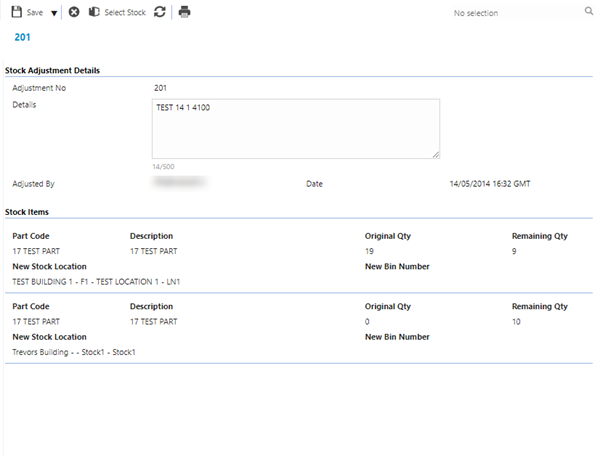
Click to view - Stock Adjustments - Move Fields and Descriptions
Complete the fields and click Save and Close  .
.
Stock Adjustment - Quantity
Click to view more detail.
To add a new Stock Adjustment for Quantity click Select Stock . A pop up window will appear which will allow the creation or amendment of a Stock Adjustment - Quantity.
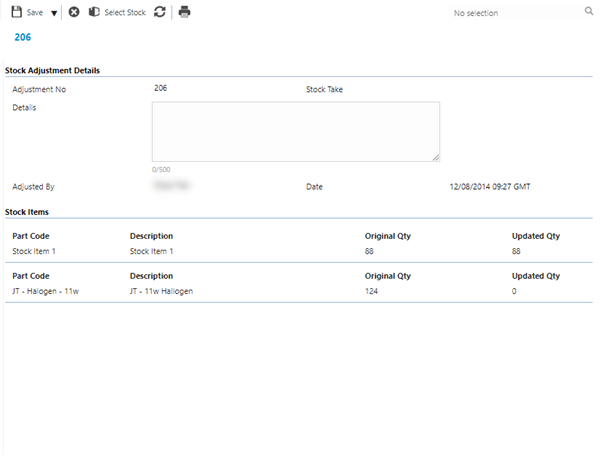
Click to view - Stock Adjustments- Quantity Header Fields and Descriptions
Complete the fields and click Save  . Once the Stock Adjustment header has been completed and saved, Stock can be added to adjust.
To adjust Stock click Assign a Stock item to Adjust  . A pop up window will appear which will allow the creation of a Stock Adjustment.
Click to view - Stock Adjustments- Quantity Fields and Descriptions
Complete the fields and click Save and Close .
Stock Adjustment - Price
Click to view more detail.
If the FIFO model is being used then price cannot be adjusted against the Stock Item, the price has to be adjusted via a Stock Adjustment. When new Stock is ordered the new price will be used and a new batch of Stock will be created when the goods are received.
To add a new Stock Adjustment for Price click New Price Adjustment  . A pop up window will appear which will allow the creation or amendment of a Stock Adjustment - Price.
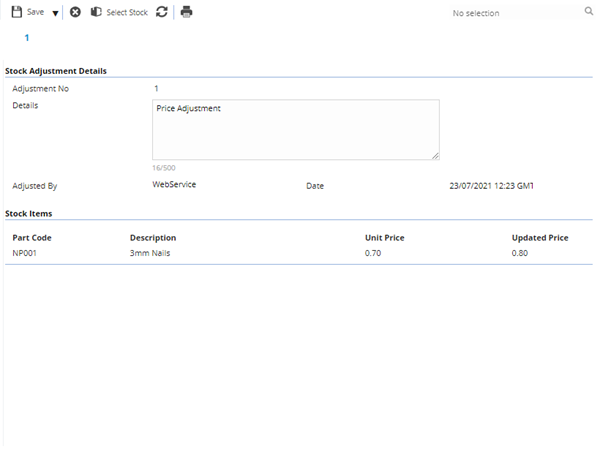
Click to view - Stock Adjustments- Price Header Fields and Descriptions
Complete the fields and click Save . Once the Stock Adjustment header has been completed and saved, Stock can be added to adjust.
To adjust Stock click Assign a Stock item to Adjust . A pop up window will appear which will allow the creation of a Stock Adjustment.
Click to view - Stock Adjustments- Price Fields and Descriptions
Once the Stock Adjustment for price has been completed ,the FIFO model will create a new batch of Stock with the new price when parts are ordered. Any Stock in older batches are issued first.