Copy Task Preferences
Copy Task Preferences copies task-related grid layouts, column settings, filters, and workflow preferences from one user to other users.
Use this to replicate task view configurations across multiple user accounts, ensuring consistent task management settings throughout your team.
Settings > Accounts > Copy Task Preferences
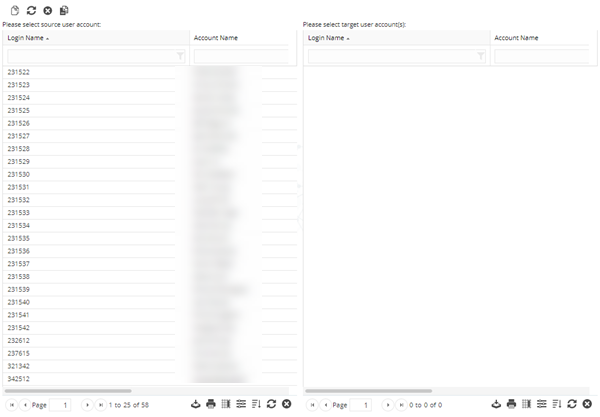
Select a User in the left section of the window.
Select the Users to copy the preferences to in the right section of the window. Click Copy  .
.
Clicking Copy All  will copy the Select Source User Accounts settings to all Users.