Control Points
Control Points are key data elements within the Building Management System (BMS) that represent individual sensors, actuators, or logical points used to monitor and control building systems such as HVAC, lighting, and energy management. Each Control Point is associated with a specific building or area and is essential for real-time monitoring, automation, and reporting.
Typical use cases include:
- Monitoring temperature, humidity, or air quality in different building zones
- Controlling HVAC equipment, lighting circuits, or access systems
- Collecting data for energy usage analysis and compliance reporting
- Triggering alarms or automated actions based on sensor readings
Control Points are foundational for effective building automation, enabling facilities teams to optimize performance, reduce costs, and maintain a comfortable environment for occupants.
Settings > BMS > Control Points
The link will open the Control Points grid. It is a grid view which can be searched, sorted and customised as normal.
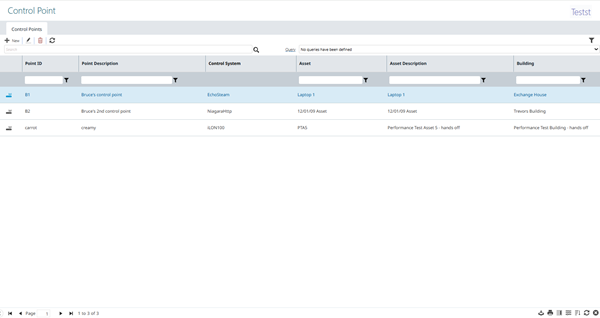
To add a new Control Point click New  , to edit an existing Contract Group click Edit
  . A pop up window will appear which will allow the creation or amendment of a Control Point:
Details Tab - Fields and Descriptions
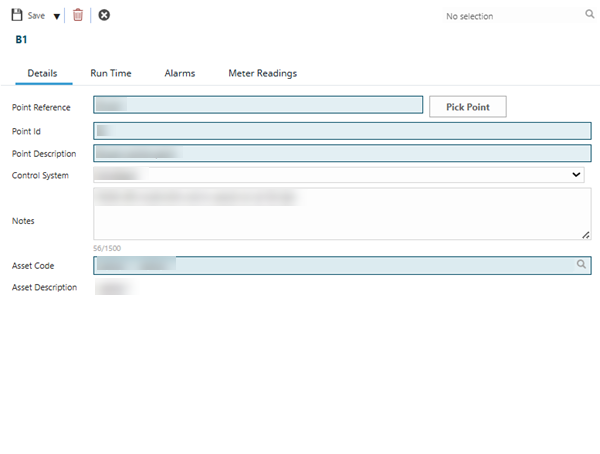
| Field Name | Description |
|---|---|
| Point Reference | Unique identifier for the control point (e.g., B1-CP-001). |
| Pick Point | Button to select or assign a point from a predefined list or map. |
| Point Id | System-generated or user-defined ID for the point (e.g., 1001). |
| Point Description | Brief description of the control point’s function (e.g., "AHU1 Supply Temp Sensor"). |
| Control System | The BMS or sub-system this point belongs to (e.g., Tridium Niagara, Trend). |
| Notes | Free-text notes for additional information or Instruction Sets (max 500 chars). |
| Asset Code | Reference to the associated asset (e.g., "AHU-01"). |
| Asset Description | Description of the linked asset (e.g., "Air Handling Unit 1"). |
Run Time Tab - Fields and Descriptions
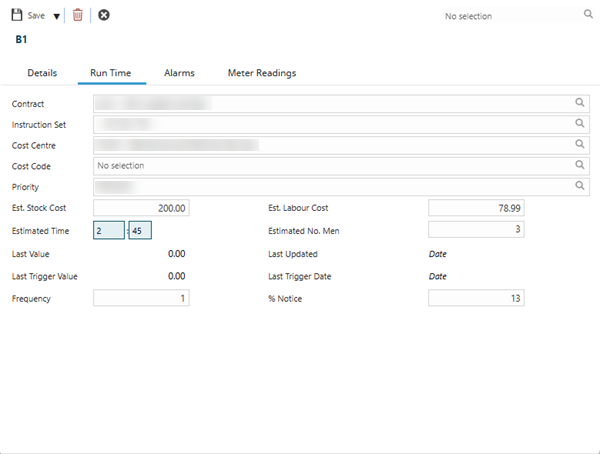
| Field Name | Description |
|---|---|
| Contract | Reference to the contract associated with this control point (if applicable). |
| Instruction Set | Set of instructions or logic applied to the point (e.g., control sequence). |
| Cost Centre | Financial cost centre for tracking expenses related to this point. |
| Cost Code | Specific code for cost allocation (e.g., maintenance, energy). |
| Priority | Indicates the urgency or importance of the point (e.g., High, Medium, Low). |
| Est. Stock Cost | Estimated cost of stock or materials required (e.g., 200.00). |
| Est. Labour Cost | Estimated labour cost for work on this point. |
| Estimated Time | Estimated time to complete work (e.g., 2:45 for 2 hours 45 minutes). |
| Estimated No. Men | Number of personnel required (if applicable). |
| Last Value | Most recent value recorded for this point (e.g., 0.00). |
| Last Updated | Date and time the point was last updated. |
| Last Trigger Value | Value that last triggered an event or alarm. |
| Last Trigger Date | Date of the last trigger event. |
| Frequency | How often the point is checked or updated (e.g., every 1 minute). |
| Percent Notice | Percentage threshold for notifications or warnings. |
Alarms Tab - Fields and Descriptions
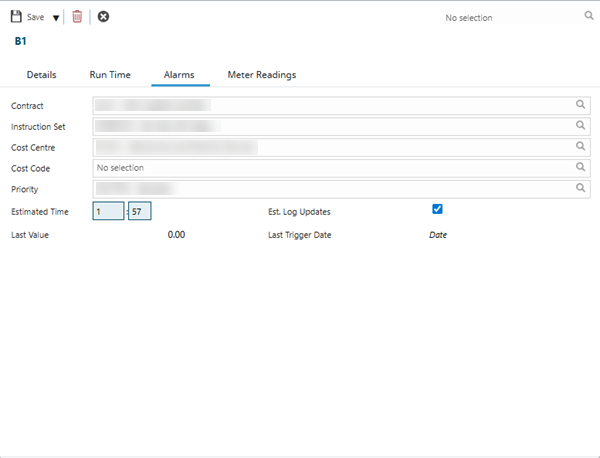
| Field Name | Description |
|---|---|
| Contract | Reference to the contract associated with this alarm point. |
| Instruction Set | Instructions or logic for alarm handling. |
| Cost Centre | Financial cost centre for alarm-related costs. |
| Cost Code | Code for cost allocation (alarms). |
| Priority | Alarm priority (e.g., High, Medium, Low). |
| Estimated Time | Estimated time to resolve the alarm (e.g., 1:57). |
| Est. Log Updates | Indicates if log updates are expected (check-box). |
| Last Value | Most recent value for the alarm point (e.g., 0.00). |
| Last Trigger Date | Date the alarm was last triggered. |
Meter Readings Tab - Fields and Descriptions
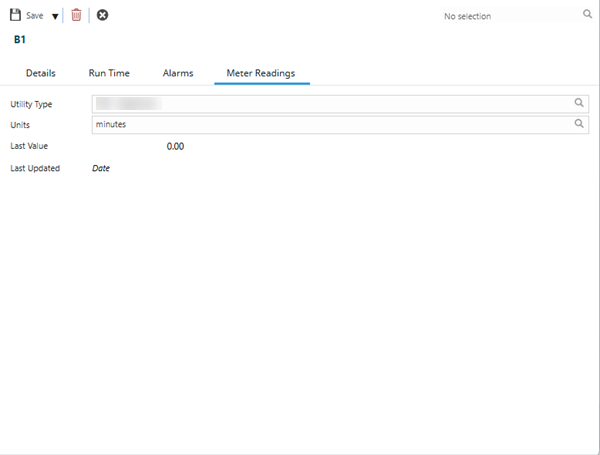
| Field Name | Description |
|---|---|
| Utility Type | Type of utility being measured (e.g., electricity, water, gas). |
| Units | Measurement units (e.g., minutes, kWh, m³). |
| Last Value | Most recent meter reading (e.g., 0.00). |
| Last Updated | Date the meter reading was last updated. |