Contact Preferences
Available from 4.8.0.0
Contact Preferences enable system administrators to create intelligent filtering rules that streamline contact selection across all modules while maintaining security and organizational boundaries. Rather than overwhelming users with lengthy contact directories, these preferences ensure that facility managers, technicians, and staff members see only the relevant contacts for their specific roles and responsibilities. For instance, when a maintenance coordinator is logging a task, they might only need to see active contractors and internal maintenance staff, while a facilities booking administrator requires access to both internal employees and approved external visitors. This targeted approach reduces selection errors, speeds up workflow completion, and maintains appropriate access controls—a security engineer in Building A doesn't need to see tenant contacts from Building B unless specifically authorized. The system's query-based architecture allows for sophisticated rules such as "show only contacts from the same cost centre" or "display active suppliers with current insurance certificates," ensuring that contact selection remains both efficient and compliant with organizational policies.
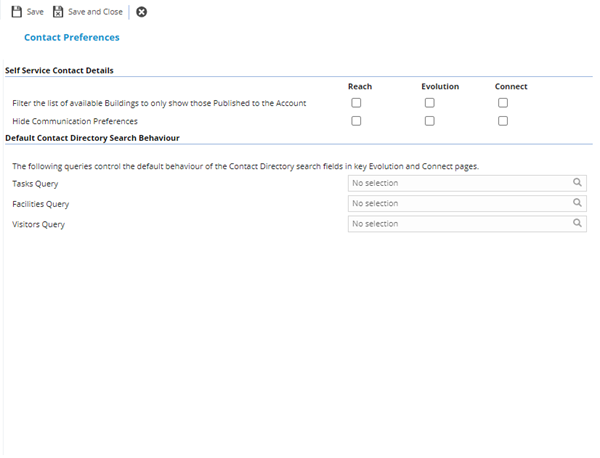
Settings > Contacts > Contact Preferences
The link will open a pop up window that will allow the Contact Preferences to be set.
 Click to view - Contact Preferences Fields and Descriptions
Complete the fields and click Save and Close  .
.