Event Types
Event Types are pre-defined event categories that simplify event logging across entities like Assets, Contracts, and Work Orders. Events must first be enabled in the Table Register before Event Types can be used.
Task Events are managed in Settings > Tasks > Task Event Types, and Planned Booking Events in Settings > Facilities Booking > Event Types.
Settings > Event Settings > Event Types > Event Types
The link will open the Event Types grid. It is a grid view which can be searched, sorted and customised as normal.
To add a new Event Type click New  , to edit an existing Event Types click Edit
  . A pop up window will appear which will allow the creation or amendment of an Event Type.
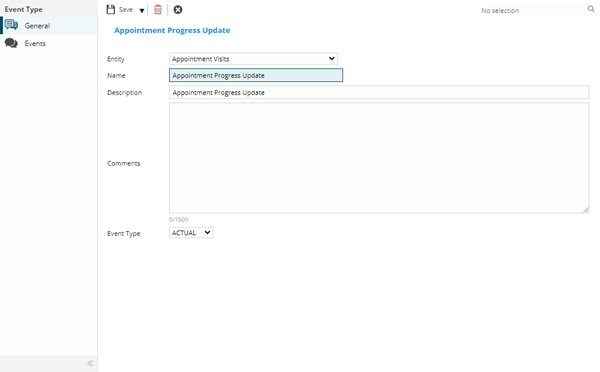
 Click to view - Event Type Fields and Descriptions
Complete the fields and click Save  . Once the Event Type header has been completed and saved a sub menu will appear to allow additional entities to be assigned.
These include:
- Events
Events
Click to view more detail.
From the Event Type it possible to view all events of this type that have been created.
Settings > Event Settings > Event Types > Event Types
The link will open the Event Types / Events Grid. It is a view only grid view that can be customised and sorted as normal.