Evolution Go Server Details
Evolution Go Server Details configure the connection parameters (URL, Tenant ID, Username, Password) required for secure communication between Evolution and the Evolution Go mobile application service. Enter the Evolution Go server address (for example, https://go.yourcompany.com), your unique Tenant ID provided by MRI implementation teams, and the Integration Account credentials to enable data synchronization between the desktop system and mobile devices. Once configured, this connection enables mobile technicians to receive task assignments, update task progress, capture photos and signatures, and access instruction set documents directly on their devices, with all data synchronized automatically. Typically configured during initial implementation by MRI technical teams—do not modify these settings without guidance as incorrect values will break mobile workforce connectivity and prevent field technicians from accessing critical work information. Additional settings include map configuration (number of resources to display, search radius) for the "Find Nearest" functionality that helps dispatchers assign tasks to the closest available technician.
Settings > Evolution Go > Evolution Go Server Details
The link will open a pop up window which will allow the creation or amendment of the Evolution Go Server Details.
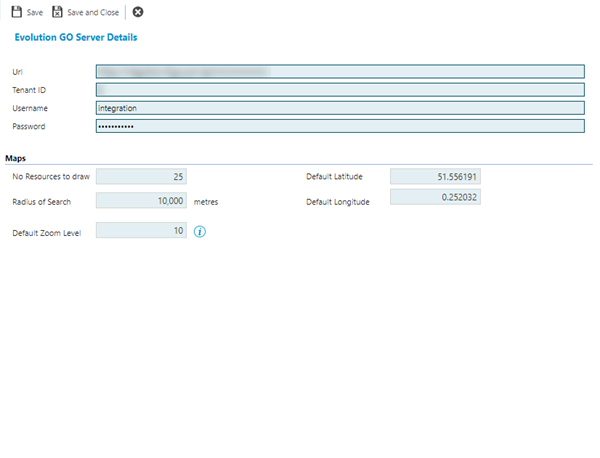
 Click to view - Evolution Go Server Details Fields and Descriptions
Complete the fields and click Save and Close  .
.
Changing any of the above settings is not recommended without the assistance of MRI Software as this may cause the integration to cease working.