Evolution Go Users and Groups
Evolution Go Users and Groups provides comprehensive mobile workforce management capabilities enabling seamless integration between mobile field operations and core system functionality. Evolution Go Users are linked to MRI Evolution Users Accounts or Resources through strategic user mapping, and before this integration can be accomplished, Evolution Go Users and Groups must be properly loaded in MRI Evolution for optimal operational coordination.
The list of Evolution Go Users and Groups is maintained here.
Settings > Evolution Go > Evolution Go Users and Groups
The link will open the Evolution Go Users and Groups grid. It is a grid view which can be searched, sorted and customised as normal.
Click Refresh Data from Evolution Go server  , this will refresh the data from the Evolution Go portal and auto-load Evolution Go Users and Groups into MRI Evolution.
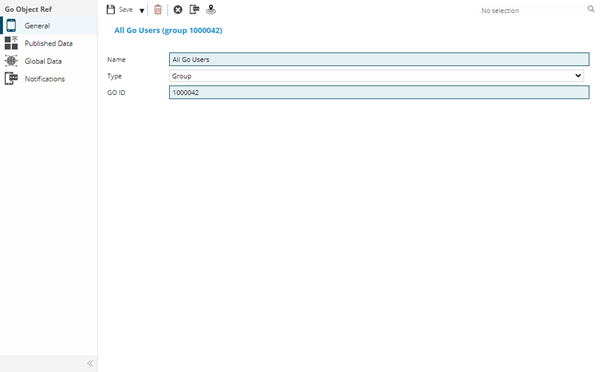
 Click to view - Evolution Go Users and Groups Fields and Descriptions
Complete the fields and click Save  . Once the Evolution Go Users and Groups header has been completed and saved a sub navigation will appear to allow additional entities to be assigned.
These include:
- Published Data
- Global Data
Published Data Sub Navigation
Click to view more detail.
Information for activities has to be published, this can be done individually or globally. This is a view only screen to show what data has been published to the User.
Settings > Evolution Go > Evolution Go Users and Groups - Published Data
The link will open the Evolution Go Users and Groups / Published Data grid. It is a grid view that can be customised and sorted as normal.
Global Data Sub Navigation
Click to view more detail.
Information for activities has to be published, this can be done individually or globally. This is a view only screen to show what data has been globally published to the User.
Settings > Evolution Go > Evolution Go Users and Groups - Global Data
The link will open the Evolution Go Users and Groups / Global Data grid. It is a grid view that can be customised and sorted as normal.