External Contacts
External Contacts stores details for people and organizations outside your company who regularly book facilities (for example, event coordinators, training providers, or community groups). Store their contact information, company details, email addresses, and any discounts they receive.
When creating a new Facilities Booking, select an External Contact from the list to automatically populate their details rather than typing them manually each time. Apply percentage discounts to room rates, inventory items, or catering costs based on agreements with repeat customers.
Settings > Facilities Booking > External Contacts
The link will open the External Contacts grid. It is a grid view which can be searched, sorted and customised as normal.
To add a new External Contact click New  , to edit an existing External Contact click Edit
  . A pop up window will appear which will allow the creation or amendment of a External Contact.
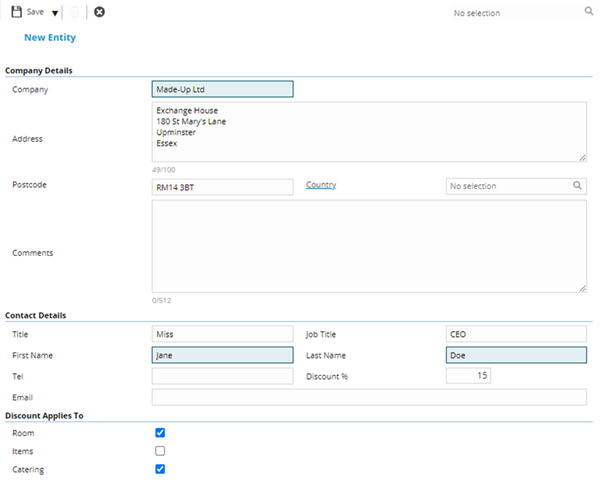
 Click to view - External Contacts Fields and Descriptions
Complete the fields and click Save and Close  .
.