Schedule Of Rates Preferences
Available from 6.0.1.0
Schedule of Rates Preferences control how standardized pricing structures integrate with task costing workflows by configuring filter visibility and auto-population behaviour in the Schedule of Rates selection screen. Configure each filter (Task Category, Task Discipline, Location Type) with two options: Hide Filter (removes the filter from view) and Auto-Populate (automatically fills the filter with the task's corresponding value when adding rates). For example, set "Task Discipline Filter" to Auto-Populate with "Use Task Discipline"—when costing an electrical task, the discipline filter automatically selects "Electrical," displaying only relevant electrical rates (for example, "Install Socket Outlet £45", "Test RCD Unit £20") rather than showing plumbing, HVAC, and other unrelated rates. This streamlines rate selection (users see only applicable options), reduces cost estimation errors (prevents selecting inappropriate rates like plumbing costs for electrical work), and maintains budget accuracy (ensures correct rates applied to correct task types). Hide filters not used in your workflow to simplify the interface (for example, hide Location Type if you don't differentiate rates by location). These preferences create tailored costing experiences that present relevant pricing options based on task characteristics while supporting accurate budget tracking and financial reporting.
Settings > Finance
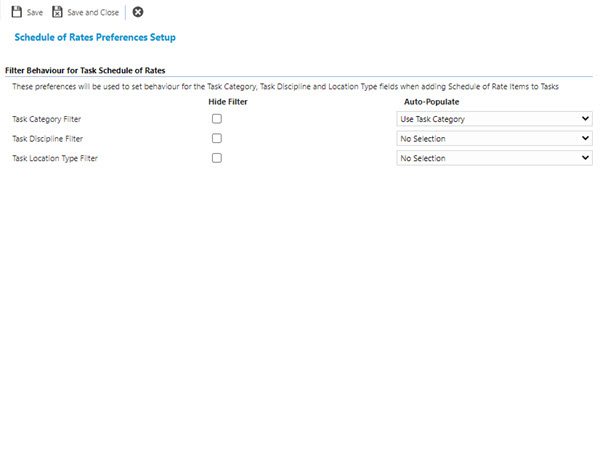
 Click to view - Schedule Of Rates Preferences Fields and Descriptions
Complete the fields and click Save and Close  .
.