SMTP Server Settings
SMTP Server Settings configure the email delivery system that MRI Evolution uses for password reset emails. When users forget their password, the system sends a secure reset link via email - these settings ensure those emails reach users reliably.
Configure the SMTP host, port, and authentication credentials to connect to your organization's email server. Your system administrator or MRI Software will typically set up these settings during initial system configuration.
Settings > Integrations > SMTP Server Settings
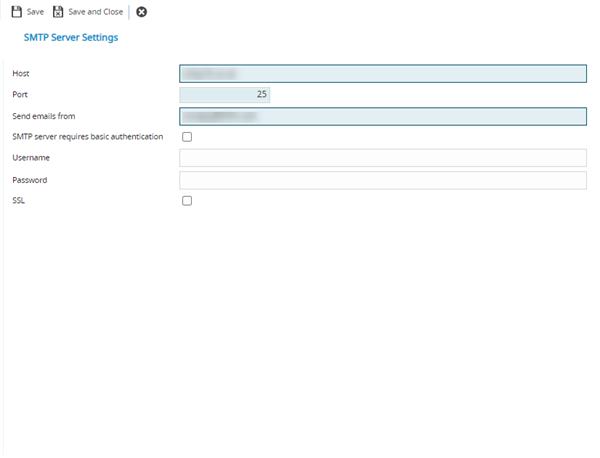
 Click to view - SMTP Fields and Descriptions
 Available from 7.0.0.0
Complete the fields and click Save and Close  .
.
Additional workflows will need to be set up to enable SMTP settings.