Intuitive BI Dashboard URLs
Available from 4.4.4.0
Intuitive BI Dashboard URLs provides comprehensive integration architecture capabilities enabling sophisticated business intelligence delivery across multiple viewer environments and internationalization requirements. Dashboard URLs are strategically required to support the diverse viewer modes and language layouts available in Intuitive BI platforms, ensuring optimal user experience and accessibility across various regional configurations. Different specialized URLs can be strategically configured and deployed to display dashboards in one of the supported presentation modes, facilitating customized visualization experiences for different user groups and operational contexts. This advanced URL management infrastructure will be professionally configured and optimized by MRI Software technical specialists during system installation and implementation to ensure seamless integration and optimal performance across all business intelligence environments.
Settings > Intuitive BI > Intuitive BI Dashboard URLs
The link will open the Intuitive BI Dashboard URLs grid. It is a grid view which can be searched, sorted and customised as normal.
To add a new Intuitive BI Dashboard URL click New  , to edit an existing Intuitive BI Dashboard URL click Edit
  . A pop up window will appear which will allow the creation or amendment of a Intuitive BI Dashboard URL.
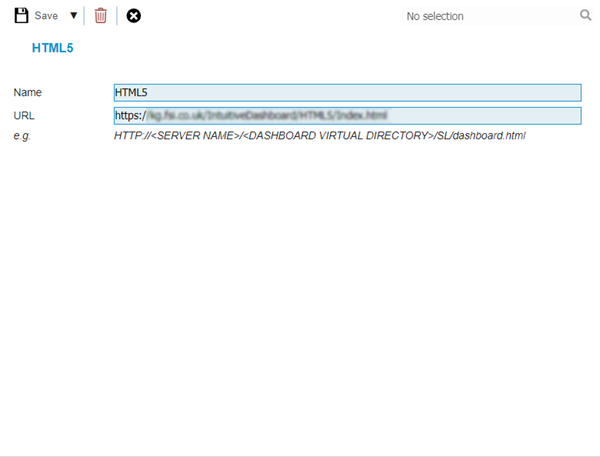
 Click to view - Intuitive BI Dashboard URLs Fields and Descriptions
Complete the fields and click Save and Close  .
.