Measurement Units
The Measurement Units feature allows you to define unit types for measurement and establish conversion factors between them.
This functionality enables you to create named measurement units (like meters, feet, kilograms), assign weighting factors for conversions between related units (such as converting kg to lbs using a 2.2 weighting factor), and specify default costs associated with each unit. Measurement Units provide consistency when working with different unit types across the system and help standardize how measurements are handled in property management operations.
 Available from 7.0.0.0
The Purchase Key licence dependency for this specific element of the system has been removed and is now included as standard in the core MRI Evolution product the feature has been turned on for all systems by default.
Note: Other restrictions, such as User licence type restrictions and / or any restrictions to underlying functionality that is dependent upon Purchase Key licences will remain in place.
Settings > Property & Estates > Measurement Units
The link will open the Measurement Units grid. It is a grid view which can be searched, sorted and customised as normal.
To add a new Measurement Unit click New  , to edit an existing Measurement Unit click Edit
  . A pop up window will appear which will allow the creation or amendment of a Measurement Unit.
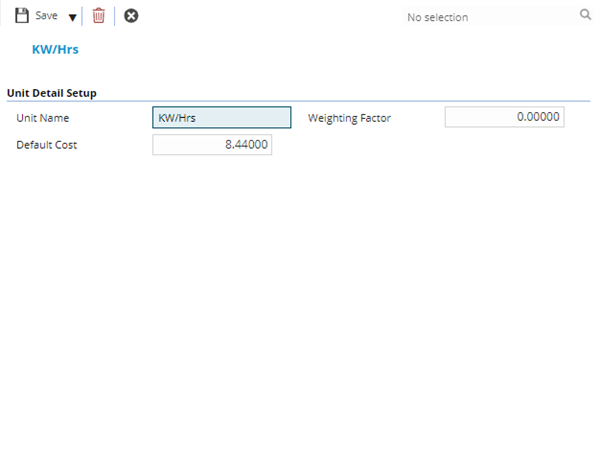
 Click to view - Measurement Units Fields and Descriptions
| Field Name | Description |
|---|---|
| Unit Name | The name of the Measurement Unit. |
| Weighting Factor | The weighting factor of the Measurement Unit - this value is used to convert Unit Types. For example, if you had "kg" as a Unit Type and gave it a weighting factor of 1.0, you could then enter "lbs" as another Unit Type with a weighting factor of 2.2. |
| Default Cost | The default Cost of the Measurement Unit. |
Complete the fields and click Save and Close  .
.