Space Functions
Available from 6.1.2.0
Classifications for BIM model Space entities defining operational purpose and management requirements (e.g., Conference Rooms, Kitchen Facilities, Breakout Areas, Storage). Assign functions to Locations to establish cleaning schedules, compliance protocols, maintenance strategies, and utilization analytics.
Link Space Functions to Location records to implement function-specific procedures, generate targeted reports, and optimize resource allocation across property portfolios.
 Available from 7.0.0.0
The Purchase Key licence dependency for this specific element of the system has been removed and is now included as standard in the core MRI Evolution product the feature has been turned on for all systems by default.
Note: Other restrictions, such as User licence type restrictions and / or any restrictions to underlying functionality that is dependent upon Purchase Key licences will remain in place.
Settings > Property & Estates
The link will open the Space Functions grid. It is a grid view which can be searched, sorted and customised as normal.
To add a new Space Function click New  , to edit an existing Space Function click Edit
  . A pop up window will appear which will allow the creation or amendment of a Space Function.
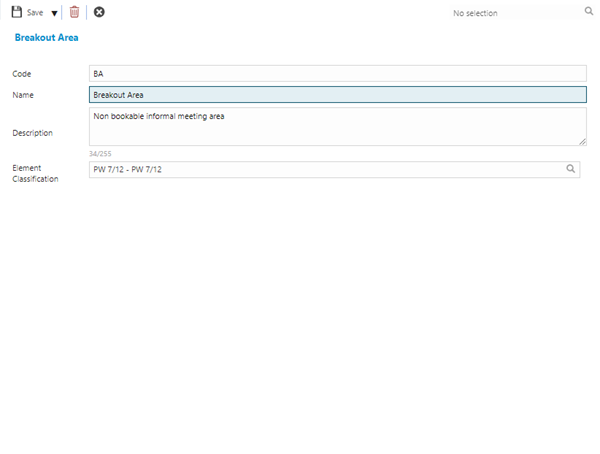
 Click to view - Space Functions Fields and Descriptions
| Field Name | Description |
|---|---|
| Code | Optionally enter an appropriate Code value for the Space Function. |
| Name | Enter a Name for the Space Function - this is a mandatory field. |
| Description | Optionally enter a Description for the Space Function. |
| Element Classification | Optionally select an Element Classification from the list. Element Classifications are created as part of a BIM model import. |
Complete the fields and click Save and Close  .
.