| Code |
A short, unique alphanumeric identifier for this working shift period that defines specific start/end times and hours for resource scheduling and timesheet recording (e.g., "DAY", "EVE", "NIGHT", "EARLY", "LATE", "WKND" representing daytime 8am-5pm, evening 2pm-11pm, night 10pm-7am, early 6am-2pm, late 2pm-10pm, weekend shifts). Shift codes link to labor rates and charge-out multipliers, as different shifts may attract premium payments (evening shift allowance, night shift differential, weekend enhanced rates). Used extensively in rotas, resource calendars, timesheet data entry, and labor cost calculations to automatically apply correct hourly rates based on when work was performed. Mobile workers select shift codes when recording time, ensuring accurate costing and payroll processing. Keep codes brief (typically 3-6 characters) for mobile device data entry and dashboard display. Once assigned to historical timesheets, avoid changing to maintain cost reporting integrity. |
| Description |
The description of the Shift. |
| Start Time |
The scheduled clock-in or shift commencement time in 24-hour format (e.g., 08:00, 14:00, 22:00) that defines when resources assigned to this shift begin their working day. Start Time determines resource availability for task scheduling, establishes attendance tracking baselines for workforce management, and marks the beginning of chargeable labor hours for costing calculations. Combined with End Time, the system calculates standard shift duration and can identify early arrivals, late starts, or overtime worked before or after scheduled hours. Used in mobile worker schedules to display daily start times, enable clocking-in validation, and trigger shift handover notifications. Critical for 24/7 operations with multiple concurrent shifts requiring precise timing for seamless coverage. Must coordinate with site access times, security procedures, and client service hours. |
| End Time |
The End or finish time of the Shift. |
| Hours |
The number of Hours worked over the Shift span - This is auto-calculated from the difference between the Start and End Time, however it can be manually adjusted to reflect time given for breaks. |
 , to edit an existing Shift click Edit
  . A pop up window will appear which will allow the creation or amendment of a Shift.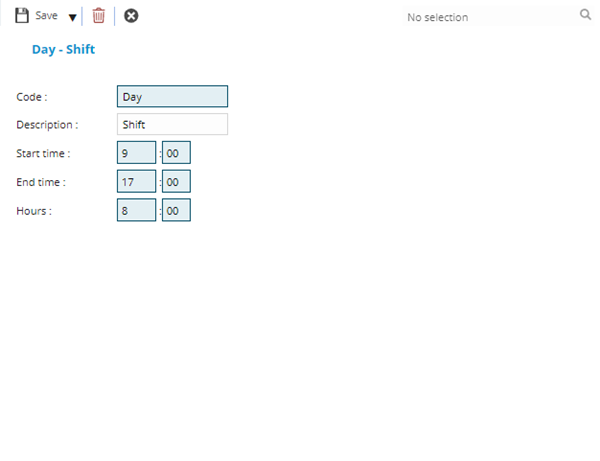
 Click to view - Shift Fields and Descriptions
 .
.