Statutory Holidays
Statutory Holidays define non-working days that affect SLA calculations and resource availability planning. Create entries for specific dates (for example, Christmas Day, New Year's Day, Easter Monday) with descriptive names, then link these holidays to relevant Contracts. When linked to Contracts, Statutory Holidays can influence how SLA response times are calculated—depending on your SLA Matrix configuration, holiday periods may pause SLA clocks (for standard service contracts), apply different time calculation rules (for example, premium rates or extended response windows), or continue counting (for emergency 24/7 service agreements). This supports flexible SLA management (different contracts handle holidays differently based on agreed service levels), accurate cost tracking (tasks completed on holidays may incur premium rates per contract terms), and realistic performance monitoring. Organizations typically create annual sets of holidays (for example, UK Bank Holidays 2025, US Federal Holidays 2025) and link them to appropriate contracts, enabling the system to apply contract-specific holiday rules—some contracts may exclude holidays from SLA calculations, others may apply premium pricing, while emergency service contracts may treat holidays as normal working days.
Settings > Resources > Statutory Holidays
The link will open the Statutory Holidays grid. It is a grid view which can be searched, sorted and customised as normal.
To add a new Statutory Holiday click New  , to edit an existing Statutory Holiday click Edit
  . A pop up window will appear which will allow the creation or amendment of a Statutory Holiday.
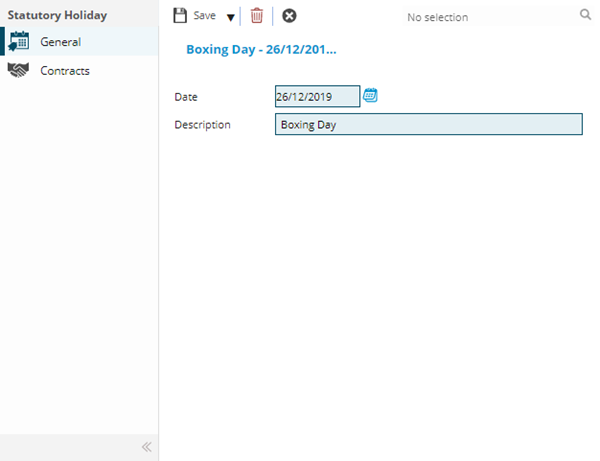
 Click to view - Statutory Holiday Fields and Descriptions
Complete the fields and click Save  . Once the Statutory Holiday header has been completed and saved a sub navigation will appear to allow additional entities to be assigned.
These include:
- Contracts
Contracts Sub Navigation
Click to view more detail.
Contracts can be linked to Statutory Holidays to indicate unavailability.
Settings > Resources > Statutory Holidays
To assign Contracts click Assign  , entities in the right hand assignment window are connected.
To create Contracts see Contracts