Stylesheets
The Stylesheets feature in MRI Evolution allows administrators to define and manage the visual appearance and formatting of the platform. By customizing Stylesheets, organizations can ensure a consistent and branded user experience across all modules.
Administrators can maintain the list of Stylesheets here, supporting system-wide appearance and usability.
Settings > System Administration > System Appearance & Behaviour > Stylesheets
The link will open the Stylesheets grid. It is a grid view which can be searched, sorted and customised as normal.
To add a new Stylesheet click New  , to edit an existing Stylesheet click Edit
  . A pop up window will appear which will allow the creation or amendment of a Stylesheet.
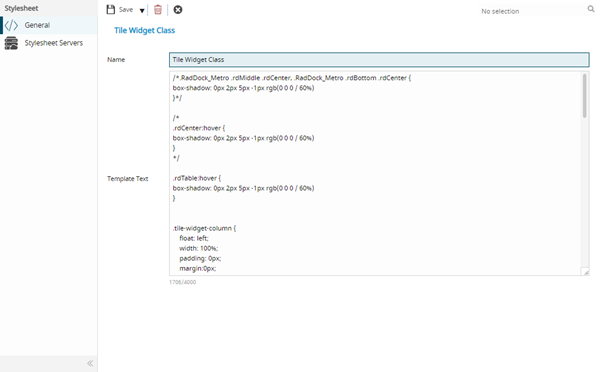
 Click to view - Stylesheet Fields and Descriptions
Complete the fields and click Save  . Once the Stylesheet header has been completed and saved a sub navigation will appear to allow additional entities to be assigned.
These include:
- Stylesheet Servers
Stylesheet Servers
Click to view more detail.
Available from 5.2.0.0
Stylesheets can be assigned to Servers.
Settings > System Administration > System Appearance & Behaviour > Stylesheets
The link will open the Stylesheets / Stylesheet Servers grid. It is a grid view that can be customised and sorted as normal.
To assign Servers click Assign  , Stylesheets in the right hand assignment window are connected.