System Information
System Information provides administrators with read-only technical details about the Evolution environment for troubleshooting, support requests, and system verification. Access this screen from the Self Service Account Menu to view version numbers (Evolution application version, database version, installed modules), system configuration details (server name, database name, license information), and diagnostic data (logged-in users, active sessions, system health indicators). When the BfxConfiguration option ShowAllSystemInfo is enabled and the user has SystemInfo permission (in System Administration securable group, not just System Information permission from Self Service User Management), the screen displays five additional Extended Information tabs with detailed technical data and a Download System Info File button that exports all displayed information to a file. This exported file is typically provided to MRI Support during troubleshooting—for example, when reporting performance issues, integration failures, or unexpected system behaviour, support teams use the system info file to quickly understand the environment configuration, installed versions, and active settings without requiring manual documentation. This supports rapid issue resolution (provide complete environment details in one file), version verification (confirm current version matches expected deployment), and system auditing (document installed modules and configuration for compliance or change management records). Administrators typically access this screen during initial set-up verification, before contacting support, or when documenting system configurations for organizational IT records.
Self Service Account Menu > System Information
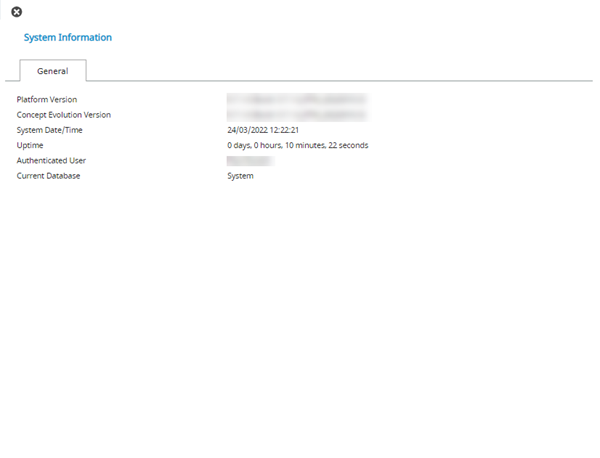
The Download System Info File button  is only available when the BfxConfiguration option for ShowAllSystemInfo is set to true.
The file contains the information displayed in the tab or tabs shown in the System Information screen. The likelihood is that this file can be passed to support to provide relevant information regarding the user's MRI Evolution system.
Even when the setting is set to true the button will be hidden from users that only have the System Information (in the Self Service User Management securable group) Permission granted and have not been granted the SystemInfo (in the System Administration securable group) Permission granted.
Extended Information Tabs
The System Information screen features five additional tabs of information that are only available when the BfxConfiguration option for ShowAllSystemInfo is set to true.
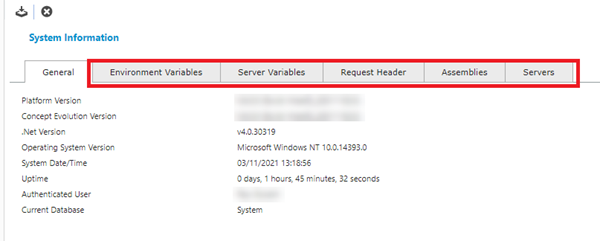
Even when the setting is set to true the additional tabs will be hidden from users that only have the System Information (in the Self Service User Management securable group) Permission granted and have not been granted the SystemInfo (in the System Administration securable group) Permission granted.