State Change Reasons
Available from 5.5.0.0
Predefined reasons users select when changing task states. Configured per state transition to provide contextual options.
Enables cause analysis, bottleneck identification, and structured reporting on workflow delays and state changes.
Settings > Tasks > State Change Reasons
The link will open the State Change Reasons grid. It is a grid view which can be searched, sorted and customised as normal.
To add a new State Change Reason click New  , to edit an existing State Change Reason click Edit
  . A pop up window will appear which will allow the creation or amendment of a State Change Reason.
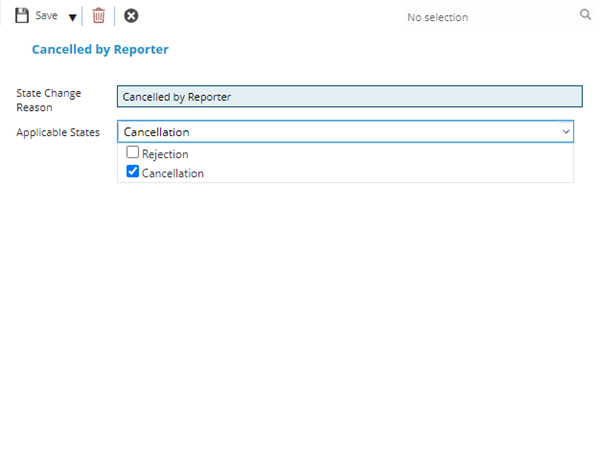
 Click to view - Instruction Set Status Fields and Descriptions
Complete the fields and click Save and Close  .
.