Requested Quotes User Preferences
The Requested Quotes User Preferences in MRI Evolution allow users to configure how the system checks for duplicate quotes during the approval process. This feature integrates with the quote management workflow to help prevent duplicate requests and ensure data accuracy.
For example, a user can set the review period and criteria for duplicate detection, so when a quote is submitted, the system automatically checks for similar quotes within the defined time-frame. This reduces errors and streamlines approvals.
The Requested Quotes User Preferences are maintained here, enabling users to optimize the quote review process for their needs.
Settings > User Settings > Quotes User Preferences
The link will open a pop up window which will allow the creation or amendment of a User Preferences / Requested Quotes.
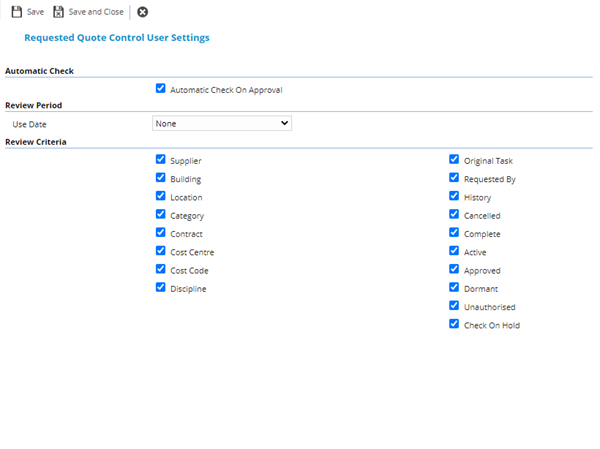
 Click to view - Requested Quotes Fields and Descriptions
Complete the fields and click Save and Close  .
.