Widget - Non Room Facilities Booking Form
Specialized booking widget for spaces outside traditional room reservation systems. Configurable field visibility, mandatory sections, and advance booking limits support unique operational requirements for unconventional facility types.
Settings > Widgets & Home Pages > Widgets > Widget - Non Room Facilities Booking Form
The link will open the Widgets grid. It is a grid view which can be searched, sorted and customised as normal.
To add a new Widget click New  , to edit an existing Widget click Edit
  . A pop up window will appear which will allow the creation or amendment of a Widget.
Select the Widget template : Non Room Facilities Booking Form. Complete the fields and click Save  . Click Configure Widget
  .
.
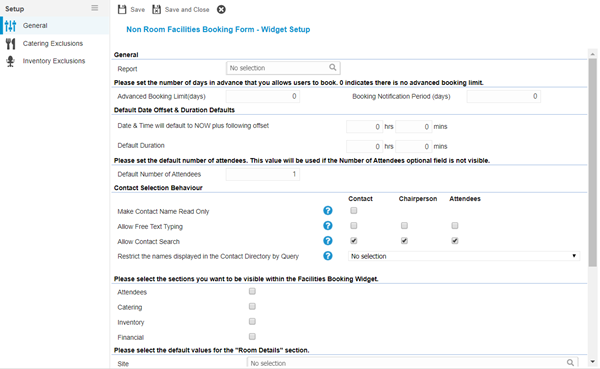
 Click to view - Non Room Facilities Booking Form Fields and Descriptions
Complete the fields and click Save and Close  .
.