Widget - Visitor Booking
Visitor registration widget enabling dashboard creation and management of visitor bookings with badge printing support. Configurable sections and optional fields support role-specific visitor management workflows across multiple locations.
Settings > Widgets & Home Pages > Widgets > Widget - Visitor Booking
The link will open the Widgets grid. It is a grid view which can be searched, sorted and customised as normal.
To add a new Widget click New  , to edit an existing Widget click Edit
  . A pop up window will appear which will allow the creation or amendment of a Widget.
Select the Widget template : Visitor Booking. Complete the fields and click Save  . Click Configure Widget
  .
.
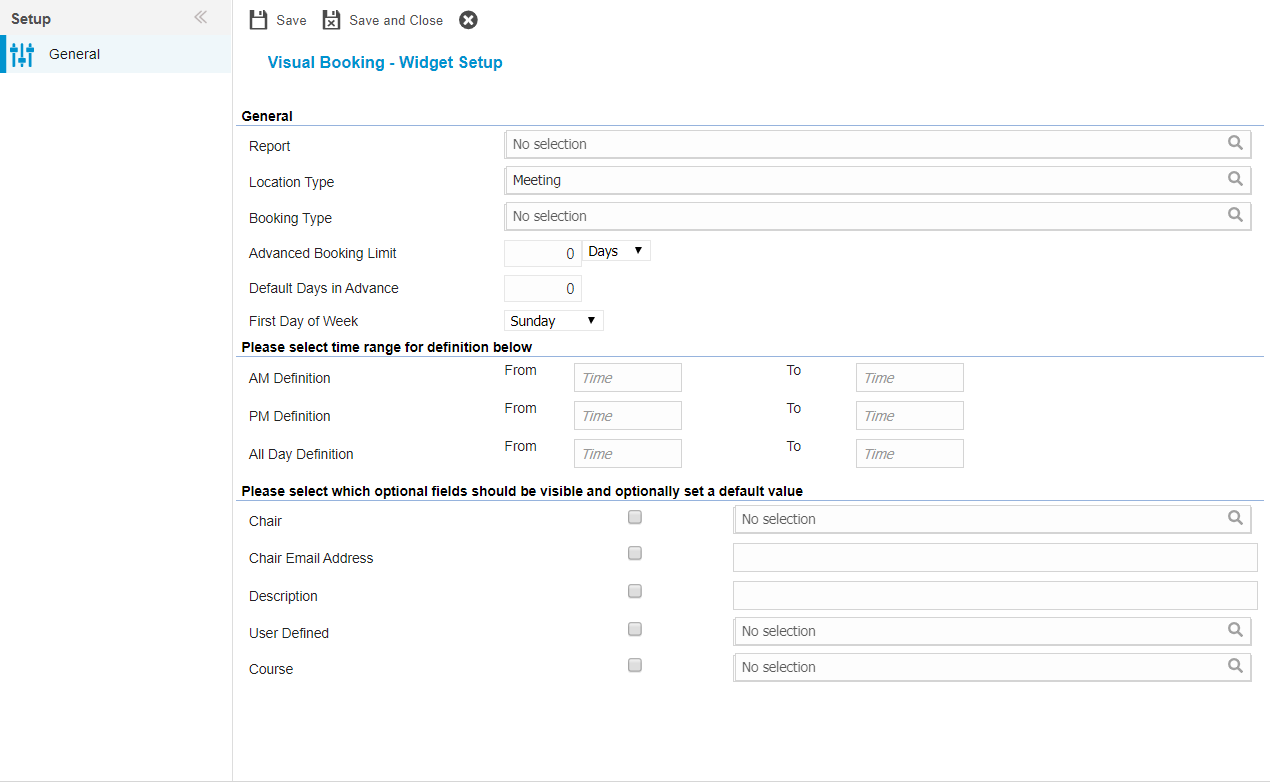
 Click to view - Visitor Booking Fields and Descriptions
Complete the fields and click Save and Close  .
.