Actions
The Workflow Actions page in Evolution provides a read-only view of all automated actions that are triggered by workflow events throughout the system. Workflow Actions are the building blocks of process automation, enabling the system to send notifications, update records, call web services, or perform other tasks in response to specific events.
Each Workflow Action record displays the type of action performed, the conditions under which it is triggered, and any parameters or messages used for execution. Actions are linked to workflow events such as record creation, updates, or custom triggers.
The Actions grid lists all configured workflow actions, including their names, descriptions, action types, and status. This grid is for information only—there are no toolbar buttons, and actions cannot be added, edited, or exported from this page.
Clicking a record in the grid opens a detail view for informational purposes only. No changes can be made from this screen.
Settings > Workflow > Actions
The Actions grid lists all workflow actions available in the system. The grid is view-only and does not provide any toolbar buttons or editing options.
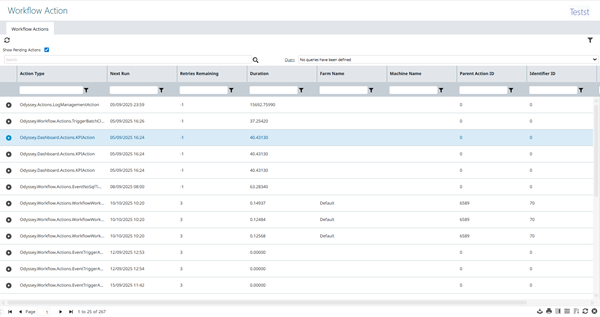
Click a record in the grid to open the Workflow Action detail view for reference only:
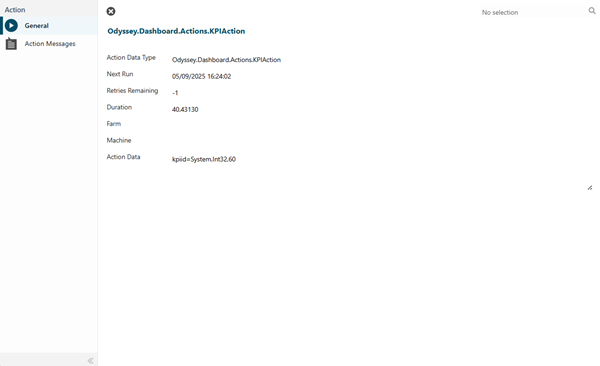
Action Messages Sub Navigation
 Click to view more detail.
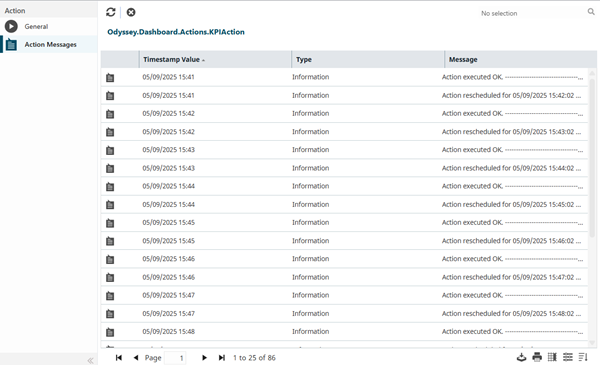
The Action Messages sub navigation displays all messages or notifications associated with workflow actions. These messages define the content sent by the action, such as email bodies, SMS texts, or API payloads.
Settings > Workflow > Actions
The Action Messages grid is also view-only and can be filtered and sorted as needed:
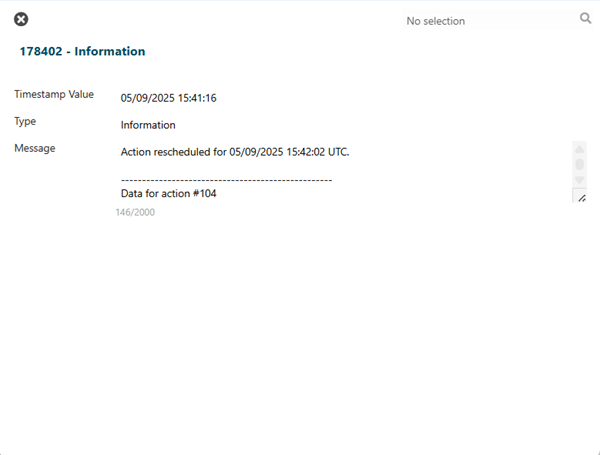
Click a message in the grid to view its details. No editing is available from this screen: