Helpdesk - Work Permits
Available from 5.2.0.0
Work Permits are essential for managing safety and compliance in operational environments. Within the Helpdesk, users can view and edit all Work Permits assigned to a Task using the sub navigation, ensuring that all necessary authorizations and documentation are in place before work begins.
This integration helps organizations maintain regulatory compliance and reduce risk by providing a clear, auditable record of all Work Permits associated with each Task. The system supports efficient permit management, from creation through to completion and closure.
 Available from 7.0.0.0
The Purchase Key licence dependency for this specific element of the system has been removed and is now included as standard in the core MRI Evolution product the feature has been turned on for all systems by default.
Note: Other restrictions, such as User licence type restrictions and / or any restrictions to underlying functionality that is dependent upon Purchase Key licences will remain in place.
Task Management > Helpdesk
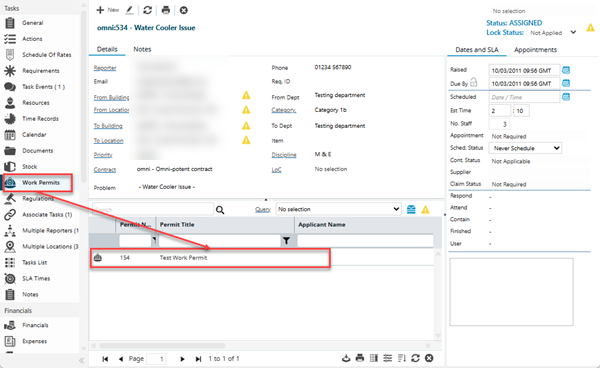
The link will open the Helpdesk / Permit grid. It is a grid view which can be searched, sorted and customised as normal.
To add a new Work Permit click New  , to edit an existing Work Permit click Edit
  . A pop up window will appear which will allow the creation or amendment of a Work Permit.
Select a record in the grid and click  to run the JC-003 Permit to Work report.
To create Work Permits see Work Permits