Waiting List
The Waiting List captures unmet booking requests when all eligible rooms are occupied (for example, during busy conference periods or training season), ensuring demand is tracked and space utilization is maximized. When a user searches for a room but finds none available, they can add their name, date requirements, building preference, and attendee count to the waiting list instead of abandoning the request. The system automatically monitors availability if a booking is moved or cancelled, it creates a temporary reservation for the next person on the list and sends a notification through the MRI Evolution message box to the responsible administrator. The administrator then contacts the requester to confirm and finalize the booking. This workflow ensures fair allocation (first-come, first-served), reduces manual tracking on spreadsheets or emails, and provides transparent visibility into facility demand patterns for capacity planning and future investment decisions.
Modules > Facilities Booking > Waiting List
The link will open the Facilities Bookings / Waiting List grid. It is a grid view which can be searched, sorted and customised as normal.
To add a new person to the Waiting List click New  , to edit an existing Waiting List entry click Edit
  . A pop up window will appear which will allow the creation or amendment of a Waiting List entry.
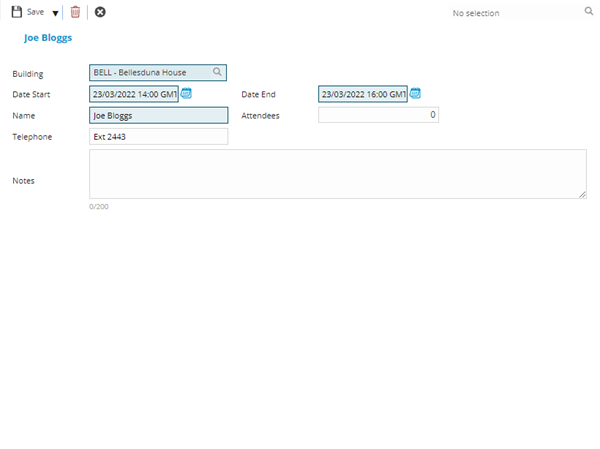
 Click to view - Waiting List Fields and Descriptions
 Available from 7.0.0.0
Complete the fields and click Save and Close  .
.
If a meeting is cancelled or moved and there is a waiting list record for that Building, date and appropriate attendance then a message will be sent to the User who amended the original booking. This can be seen at the top of the MRI Evolution screen in the message box of the User.