Asset Status
Asset Status defines lifecycle states for assets such as Active, Suspended, and Historic.
Configure status codes that track operational state throughout the asset maintenance lifecycle, control grid visibility, and support filtering in tasks, PPM scheduling, and reporting. See Asset Register to create assets.
Settings > Assets > Asset Status
The link will open the Asset Status Grid. It is a grid view which can be searched, sorted and customised as normal.
To add a new Asset Status click New  , to edit an existing Asset Status click Edit
  . A pop up window will appear which will allow the creation or amendment of an Asset Status.
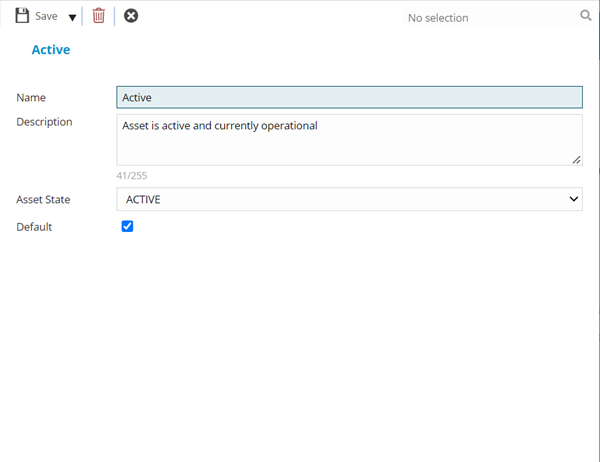
 Click to view - Asset Status Fields and Descriptions
Complete the fields and click Save and Close  .
.