Networks
Available from 4.4.6
Asset Networks identify network memberships for assets such as mains water supply, electrical distribution, or HVAC zones.
Define networks to map system connections, support maintenance planning, assess outage impacts, coordinate work across interdependent systems, and enable cost allocation by network.
Settings > Assets > Networks
The link will open the Asset Networks grid. It is a grid view which can be searched, sorted and customised as normal.
To add a new Asset Network click New  , to edit an existing Asset Network click Edit
  . A pop up window will appear which will allow the creation or amendment of a Asset Network.
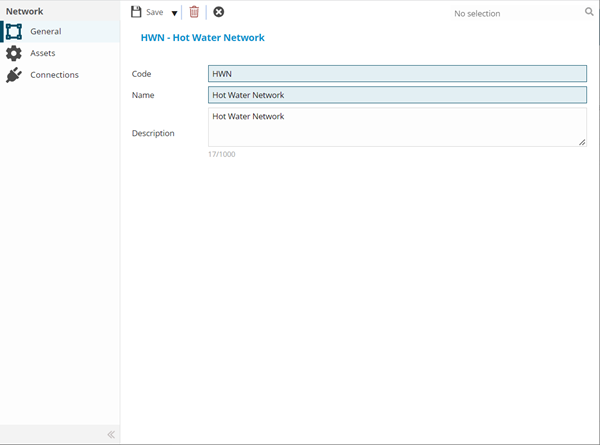
 Click to view - Asset Networks Fields and Descriptions
Complete the fields and click Save  . Once the Asset Network header has been completed and saved a sub navigation will appear to allow additional entities to be assigned and viewed.
These include:
- Assets
- Connections
Assets Sub Navigation
Click to view more detail.
The Assets sub navigation allows a User to assign Assets to a Network.
Settings > Assets > Networks
The link will open the Asset Networks / Assets grid. It is a grid view that can be customised and sorted as normal.
To assign Assets click Assign , entities in the right hand assignment window are connected.
To create Assets see Asset Register
Connections Sub Navigation
Click to view more detail.
The Connections sub navigation allows a User to view to Connection Types of the Asset Network. Connection Types are used when defining connections between Assets.
Settings > Assets > Networks
The link will open a view only Asset Networks / Connections grid. It is a grid view that can be customised and sorted as normal.
Asset Connections are created from the Asset entity.