Contact Status
Available from 4.8.0.0
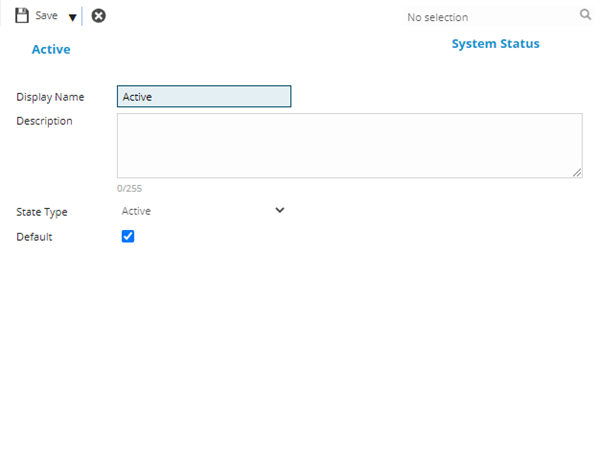
Contact Status classifications manage contact life-cycles by controlling visibility and access without deleting valuable historical data (for example, Active, Historical, Suspended, Temporary). Create status entries with display names (for example, "Former Employee", "Inactive Contractor", "Active Supplier") and assign a State Type that determines system behaviour—Active contacts appear in selection drop-downs and operational screens, while Historical contacts are hidden from operational areas but preserved for audit trails and historical task records. Rather than deleting a former employee's contact record (losing task history, authorization signatures, and compliance documentation), change their status to Historical to remove them from active helpdesk issue reporter lists while maintaining complete work records. Mark temporarily inactive contractors as Suspended to prevent new work assignments without losing their skills data, certifications, and performance history. Set one status as Default—new contacts automatically receive this status when created. This approach preserves institutional knowledge (for example, who authorized critical decisions on completed tasks), supports compliance requirements (for example, maintaining complete audit trails), enables future reactivation (for example, re-engaging seasonal contractors), and provides flexible access control that adapts to changing relationships without compromising data integrity.
Settings > Contacts > Contact Statuses
The link will open the Contact Status grid. It is a grid view which can be searched, sorted and customised as normal.
To add a new Contact Status click New  , to edit an existing Contact Status click Edit
  . A pop up window will appear which will allow the creation or amendment of a Contact Status
To create Contacts see Contacts
 Click to view - Contact Status Fields and Descriptions
Complete the fields and click Save and Close  .
.