Delivery Set Up
Receiving locations for Purchase Requisitions and Orders. Define Delivery Points either by marking Buildings as delivery addresses or by creating custom points in Delivery Setup to control where purchased items are shipped.
Settings > Purchase Orders > Delivery Setup
The link will open the Delivery Address grid. It is a grid view which can be searched, sorted and customised as normal.
To add a new Delivery Address click New  , to edit an existing Delivery Address click Edit
  . A pop up window will appear which will allow the creation or amendment of a Delivery Address.
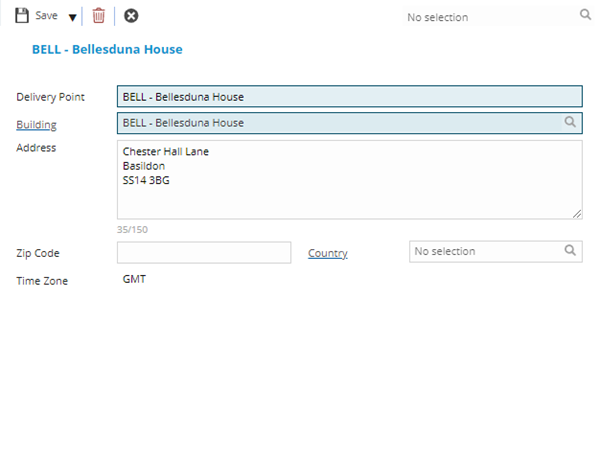
 Click to view - Delivery Set Up Fields and Descriptions
 Available from 7.0.0.0
Complete the fields and click Save and Close  .
.