Statutory Holiday Groups
Statutory Holiday Groups bundle individual holiday dates into reusable sets referenced by invoicing, scheduling and assignment validation. One group change updates all linked rules.
Create a group when several holidays share rules (e.g. non-chargeable or paused SLA days). After saving, assign holidays and then select the group wherever a holiday set is required.
Settings > Resources > Statutory Holiday Groups
The link will open the Statutory Holiday Groups grid. It is a grid view which can be searched, sorted and customised as normal.
To add a new Statutory Holiday Group click New  , to edit an existing Statutory Holiday Group click Edit
  . A pop up window will appear which will allow the creation or amendment of a Statutory Holiday Group.
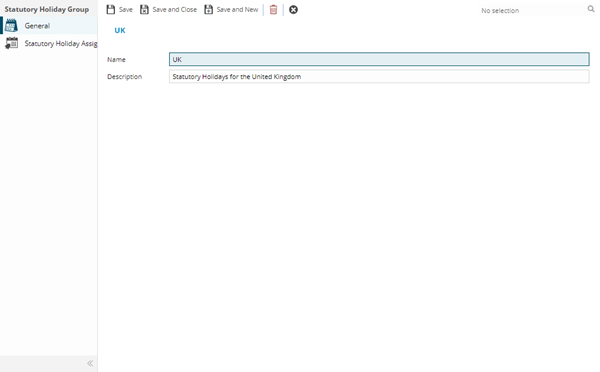
 Click to view - Statutory Holiday Groups Fields and Descriptions
| Field Name | Description |
|---|---|
| Name | The name of the Statutory Holiday Group. |
| Description | The description of the Statutory Holiday Group. |
Complete the fields and click Save  . Once the Statutory Holiday Group header has been completed and saved a sub navigation will appear to allow additional entities to be assigned.
These include:
- Statutory Holiday Assignment
Statutory Holiday Assignment Sub Navigation
Click to view more detail.
Once Statutory Holiday Groups have been created, Statutory Holidays can be assigned to the Group.
Statutory Holiday Groups
The link will open the Statutory Holiday Group / Statutory Holiday Assignment grid. It is a grid view that can be customised and sorted as normal.
To assign Statutory Holidays click Assign  , entities in the right hand assignment window are connected.
To create Statutory Holidays see Statutory Holidays