Widget - Conference Booking
Conference Booking Widgets allow Conference lines and Video conferences to be booked. The conference lines and ports must first be created as Locations with a valid Location Type to enable the Conference Booking widget to work.
Business Value: This widget streamlines the process of booking conference resources, improving scheduling efficiency and resource utilization.
Action: Set up conference lines and ports as Locations, then use the widget to book and manage conference sessions directly from the system interface.
Settings > Widgets & Home Pages > Widgets > Widget - Conference Booking
The link will open the Widgets grid. It is a grid view which can be searched, sorted and customised as normal.
To add a new Widget click New  , to edit an existing Widget click Edit
  . A pop up window will appear which will allow the creation or amendment of a Widget.
Select the Widget template : Conference Booking. Complete the fields and click Save  . Click Configure Widget
  .
.
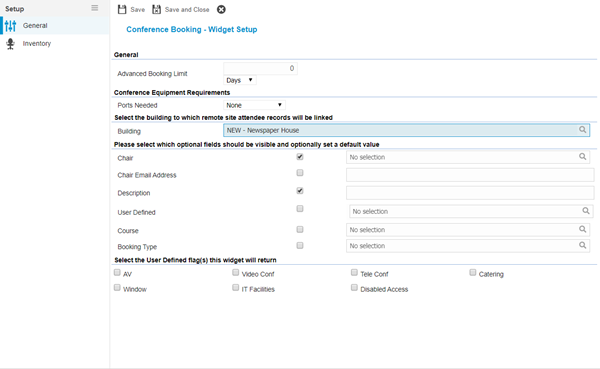
 Click to view - Conference Booking Widget Fields and Descriptions
 Available from 7.0.0.0
Complete the fields and click Save and Close  .
.