Widget - Facilities Booking Grid
Facilities Booking Widget is designed for users to view and make Facilities Bookings directly within the widget. The main functionality—such as creating, editing, and managing bookings—is described in the fields below.
Assigned queries allow users to filter and customize their view of bookings, supporting different roles and requirements.
Business Value: Enables fast, user-friendly booking management, improves resource utilization, and adapts to varied user needs through flexible views.
Action: Use the widget to make or manage bookings. Refer to the field descriptions below for details on available features and options.
Settings > Widgets & Home Pages > Widgets > Widget - Facilities Booking Grid
The link will open the Widgets grid. It is a grid view which can be searched, sorted and customised as normal.
To add a new Widget click New  , to edit an existing Widget click Edit
  . A pop up window will appear which will allow the creation or amendment of a Widget.
Select the Widget template : Facilities Booking Grid. Complete the fields and click Save  . Click Configure Widget
  .
.
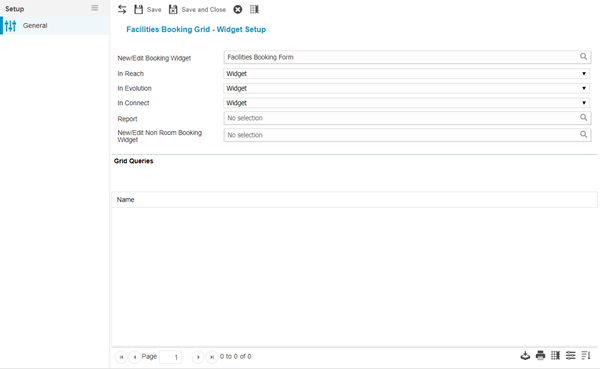
 Click to view - Facilities Booking Grid Fields and Descriptions
Queries must be assigned to the Facilities Booking Grid Widget . To assign Queries click Assign  , entities in the right hand assignment window are connected.
Additional Icons and Features
| Icon | Feature | Description |
|---|---|---|

|
Set Grid Columns | Set the Set Default Columns for the Task Grid Widget |
Complete the fields and click Save and Close  .
.