Helpdesk - CSF (Customer Satisfaction Form) Audit
After completing a Task, you can send a Customer Satisfaction Form (CSF) Audit to the Task reporter to collect feedback, which is then documented and tracked within the system to gather client feedback and measure service quality metrics.
To create CSF Audits see Customer Satisfaction Overview
 Available from 7.0.0.0
The Purchase Key licence dependency for this specific element of the system has been removed and is now included as standard in the core MRI Evolution product the feature has been turned on for all systems by default.
Note: Other restrictions, such as User licence type restrictions and / or any restrictions to underlying functionality that is dependent upon Purchase Key licences will remain in place.
Task Management > Helpdesk > Helpdesk - CSF Audit
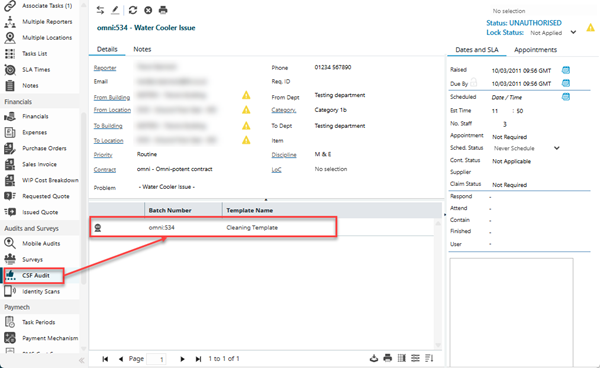
The link will open the Helpdesk / CSF Audit grid. It is a grid view which can be searched, sorted and customised as normal.
To assign CSF Audits click Assign  , entities in the right hand assignment window are connected.
To print the JC-CS001 CSF Audit to send to the customer click CSF Audit  .
.
To record the results of the CSF Audit, double click the assigned CSF audit, a pop up window will appear allowing the data to be recorded.
| Field Name |
Description |
| Batch Number |
A unique system-generated sequential identifier assigned to each Customer Satisfaction Form (CSF) audit batch when surveys are dispatched to clients or building occupants following task completion (e.g., CSF-2024-001, AUDIT-1234). The batch number groups multiple CSF surveys issued together during scheduled audit runs or bulk feedback campaigns, enabling tracking of survey dispatch, response rates, and performance analysis by time period. Essential for managing customer feedback programs, monitoring survey completion rates, identifying non-responses requiring follow-up, and generating audit trail reports for quality management systems (ISO 9001) or contract compliance. Batch Numbers link surveys to specific reporting periods, allowing comparison of satisfaction scores month-over-month or quarter-over-quarter. Cannot be manually edited; automatically increments for each new audit dispatch. |
| Task ID |
System-generated hyperlink to the originating Task record. Clicking this link opens the associated Task, allowing reviewers to verify work details, completion status, and service history. Maintains full audit traceability between service delivery and customer satisfaction feedback. |
| Issued To |
Automatically populated with the name of the individual who originally reported the Task. This field identifies the primary recipient of the Customer Satisfaction Form, ensuring surveys reach the correct stakeholder who experienced the service delivery (tenant, building occupant, facilities manager, or client). |
| Email |
Automatically populated with the email address from the Task Reporter's contact record. This email is used to send the CSF Audit survey link and follow-up reminders. If the email address is invalid or missing, manual survey distribution may be required. |
| Reported by |
Automatically populated with the name of the individual who initiated the original Task request. This field may differ from "Issued To" in cases where someone reports a Task on behalf of another person (e.g., a facilities manager reporting on behalf of a tenant), though typically they are the same. Useful for tracking feedback patterns by reporter. |
| Telephone Number |
Automatically populated with the contact telephone number from the Reporter's record. Provides an alternative communication channel for CSF Audit follow-up when email surveys are undelivered, responses are incomplete, or verbal feedback collection is required. |
| Completion Date |
The date when the customer submitted their completed Customer Satisfaction Form survey responses. This timestamp is used for calculating survey response times, measuring compliance with target response timeframes, and analyzing satisfaction trends over time in reporting. |
| Reviewed by |
Select from the dropdown the staff member responsible for reviewing and validating the Customer Satisfaction audit results (typically a quality manager, supervisor, or helpdesk coordinator). The dropdown connects to Contacts. This field establishes accountability for CSF Audit processing and creates an audit trail of who examined the customer feedback. |
| Reviewed Date |
The date when the assigned reviewer completed their analysis of the Customer Satisfaction audit responses. Essential for measuring review turnaround times and ensuring feedback receives timely management attention. Together with Completion Date, enables tracking of total feedback processing cycle times. |
| Reviewer Comments |
Free-form text field for documenting analysis, observations, and actions taken in response to customer feedback. Use to summarize key concerns, document service recovery actions for negative feedback, note recurring issues requiring attention, record follow-up commitments, or flag exceptional positive feedback for staff recognition. Provides crucial context for satisfaction score interpretation and creates a permanent record of management response. |
Once the Details tab has been completed the Questions tab can be clicked. This Tab will enable all answers to the questions assigned to the CSF Audit to be recorded.
Complete the fields and click Save and Close  .
.
 Click to view - CSF Audit Fields and Descriptions