Contracts - Task Ranges
Assign Task Ranges to each contract to control who can approve tasks and set contract-specific limits. This ensures only authorised users can approve tasks within defined limits.
To enable contract-specific authorisation, go to Task Preferences, check Use Authorisation Limits for Tasks, and uncheck Ranges applied to all Contracts for Tasks. This lets you define Task Ranges for each contract.
The Task Ranges sub navigation will not be displayed in the Contract input panel if the Ranges applied to all Contracts for Tasks option is checked.
Business Value: Improves operational control, supports compliance, and helps manage task approvals efficiently by enforcing contract-specific authorisation rules.
Facilities > Contracts
The link will open the Contracts / Task Range grid. It is a Grid view that can be customised and sorted as normal.
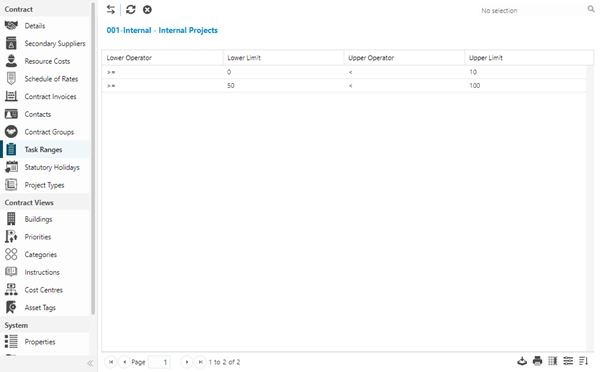
To assign Task Ranges click Assign  , entities in the right hand assignment window are connected.
To create Task Ranges see Task Authorisation Ranges and Limits.