Task Authorisation Ranges and Limits
Define financial approval thresholds for task authorization within MRI Evolution workflow management. Establish spending limits that control user approval capabilities, requiring escalation when thresholds are exceeded, providing cost control and financial governance across task management operations.
For the Authorisation Model to be activated the Task Preferences in Task Preferences must be checked
Settings > Authorisation > Task Authorisation Ranges and Limits
The link will open the Task Authorisation Ranges and Limits grid. It is a grid view which can be searched, sorted and customised as normal.
To add a new Task Authorisation Ranges and Limit click New  , to edit an existing Task Authorisation Ranges and Limit click Edit
  . A pop up window will appear which will allow the creation or amendment of a Task Authorisation and Limit.
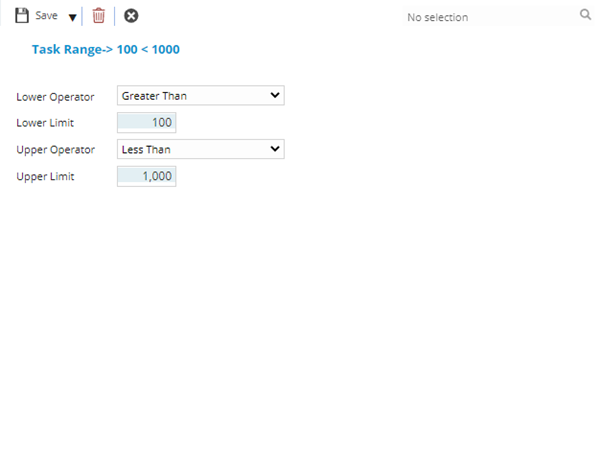
 Click to view - Task Authorisation Ranges and Limits Fields and Descriptions
Complete the fields and click Save and Close  .
.
Repeat the steps until all required ranges have been created.
Once the ranges have been created the must be assigned to User Accounts and / or Roles and Contracts if the Task Preference "Ranges applied to Contracts for Tasks" has been Checked.