Asset Names
Asset Names define the specific model or manufacturer designation for assets within your classification hierarchy. They represent the most detailed level beneath Asset Type - for example, under "Boiler", you might create names like "Worcester Greenstar 30i" or "Vaillant EcoTEC Plus".
When creating an asset record, select the Asset Name to identify the exact make and model. This supports maintenance scheduling, spare parts identification, and warranty tracking by distinguishing between different models that share the same Asset Type.
Settings > Assets > Asset Names
The link will open the Asset Name grid. It is a grid view which can be searched, sorted and customised as normal.
To add a new Asset Name click New  , to edit an existing Asset Name click Edit
  . A pop up window will appear which will allow the creation or amendment of an Asset Name.
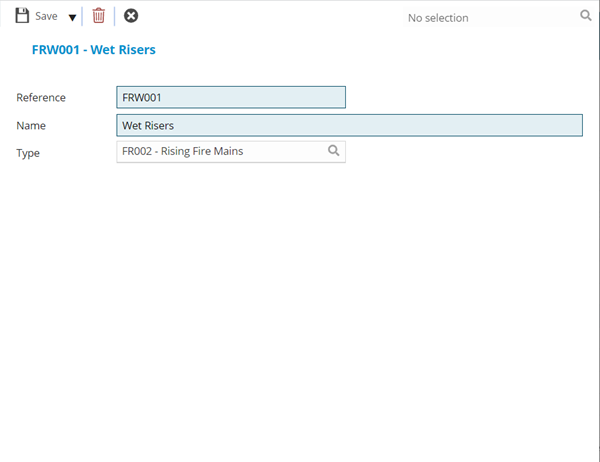
 Click to view - Asset Type Fields and Descriptions
| Field Name | Description |
|---|---|
| Reference | The reference code of the Asset Name. |
| Name | The name of the Asset Name. |
| Type | From the drop down select the Asset Type - If the Asset Name is not connected to an Asset Type, the Name will not be available on creation of the Asset. |
Complete the fields and click Save and Close  .
.