Instruction Set Groups
Classifications grouping related Instruction Sets. Used in Payment Mechanisms module and supports filtering and reporting.
Enables bulk management and analysis of work procedures by category. See Instruction Sets to create Instruction Sets.
Settings > Tasks > Instruction Set Groups
The link will open the Instruction Set Groups grid. It is a grid view which can be searched, sorted and customised as normal.
To add a new Instruction Set Group click New  , to edit an existing Instruction Set Group click Edit
  . A pop up window will appear which will allow the creation or amendment of a Instruction Set Group.
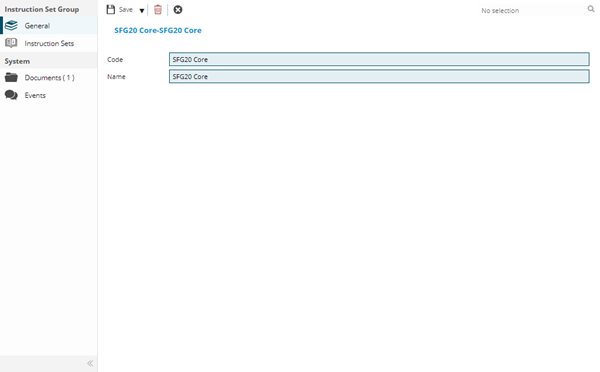
 Click to view - Instruction Set Groups Fields and Descriptions
Complete the fields and click Save  . Once the Instruction Set Group header has been completed and saved a sub navigation will appear to allow additional entities to be assigned.
These include:
- Instruction Sets
Instruction Sets Sub Navigation
Click to view more detail.
Instruction Sets can be assigned to Instruction Set Groups.
Settings > Tasks > Instruction Set Groups
The link will open the Instruction Set Groups / Instruction Sets grid. It is a grid view that can be customised and sorted as normal.
To assign Instruction Sets click Assign  , entities in the right hand assignment window are connected.