Widget - Visual Booking
Interactive floor plan booking widget for facility reservations including hot desks and parking spaces. Configurable booking types, location types, time slot definitions, advance booking limits, and optional field visibility optimize space utilization.
Settings > Widgets & Home Pages > Widgets > Widget - Visual Booking
The link will open the Widgets grid. It is a grid view which can be searched, sorted and customised as normal.
To add a new Widget click New  , to edit an existing Widget click Edit
  . A pop up window will appear which will allow the creation or amendment of a Widget.
Select the Widget template : Visual Booking. Complete the fields and click Save  . Click Configure Widget
  .
.
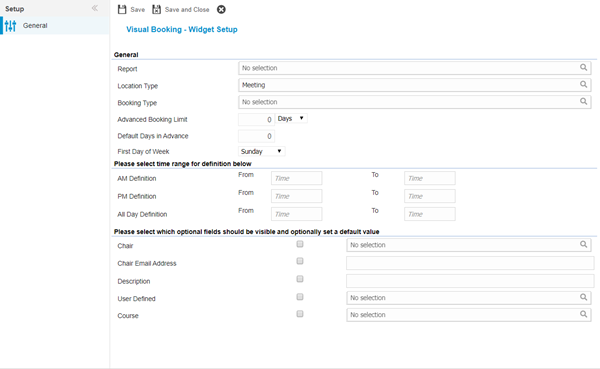
 Click to view - Visual Booking Fields and Descriptions
Complete the fields and click Save and Close  .
.