Skills
Qualifications and certifications. Applied to Resources to create a skills register and filter available staff by required qualifications.
Enables competency-based task assignment, training gap analysis, and certification expiry tracking.
Settings > Resources > Skills
or
Settings > Tasks > Skills
The link will open the Skills Grid. It is a grid view which can be searched, sorted and customised as normal.
To add a new Skill click New  , to edit an existing Skills click Edit
  . A pop up window will appear which will allow the creation or amendment of a Skill.
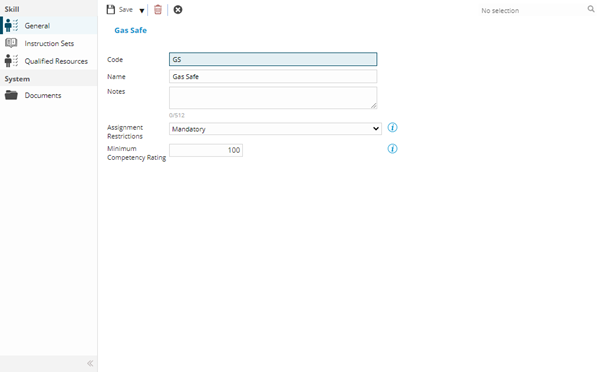
 Click to view - Skills Fields and Descriptions
Complete the fields and click Save and Close  .
.
Instruction Sets
Click to view more detail.
Available from 5.6.0.0
The sub navigation contains a grid listing Instruction Set entities that are linked to the current Skill via the Requirements database table.
Instruction Sets can be assigned to a Skill to form a Requirement for Tasks
Settings > Resources > Skills > Instruction Sets
or
Settings > Tasks > Skills > Instruction Sets
The link will open the Skills / Instruction Set grid. It is a grid view that can be customised and sorted as normal.
To assign Instruction Sets click Assign  , Instruction Sets in the right hand assignment window are connected.
Qualified Resources
Click to view more detail.
Available from 5.6.0.0
The sub navigation contains a grid listing Resources that have attained the current Skill. Skills can be added to a Resource via the Skills sub menu of the Resources input panel.
Settings > Resources > Skills > Qualified Resources
or
Settings > Tasks > Skills > Qualified Resources
The link will open the Skills / Resource Skills grid. It is a grid view that can be customised and sorted as normal.
The Resource Skill records can be edited from this grid.