Permit Classes
Classifications for Work Permits. Each class can use a different Concept Report template; default is JC-003.
Enables safety-specific documentation and approval workflows based on work type.
 Available from 7.0.0.0
The Purchase Key licence dependency for this specific element of the system has been removed and is now included as standard in the core MRI Evolution product the feature has been turned on for all systems by default.
Note: Other restrictions, such as User licence type restrictions and / or any restrictions to underlying functionality that is dependent upon Purchase Key licences will remain in place.
Settings > Tasks > Work Permit Classes
The link will open the Permit Classes grid. It is a grid view which can be searched, sorted and customised as normal.
To add a new Permit Class click New  , to edit an existing Permit Class click Edit
  . A pop up window will appear which will allow the creation or amendment of a Permit Class.
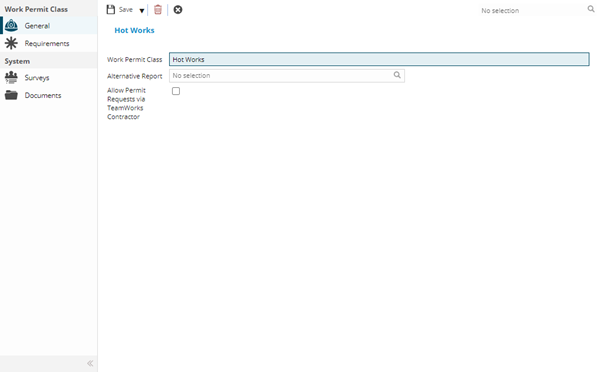
 Click to view - Permit Classes Fields and Descriptions
Complete the fields and click Save . Once the Permit Class header has been completed and saved a sub navigation will appear to allow additional entities to be created / assigned.
These include:
- Requirements
Available from 5.5.0.0
Permit Classes are one of the system entities that can have Work & Access Surveys enabled in Table Catalog, in a similar way to enabling Hazard / Alert Types against an entity.
Once enabled against the Permit Classes entity, a new sub navigation will become available in the System sub navigation group of the Permit Classes input panel:
Requirements
Click to view more detail.
Available from 5.3.0.0
Resource Skills can be assigned to Permit Classes to form a requirement for Tasks e.g. the Resource must have this Skill to apply for this type of Permit.
Settings > Tasks > Work Permit Classes
The link will open the Permit Classes / Requirements grid. It is a grid view that can be customised and sorted as normal.
To assign Requirements (Resource Skills) click Assign  , Requirements (Resource Skills) in the right hand assignment window are connected.
To create Skills see Skills